

kdb+ Custom Highlighting
Pulse provides conditional formatting with the UI to solve most use-cases but when you want highly customized per cell highlighting you can use the row formatting to control the foreground and background color of each cell. Combined with the dynamic strength of kdb+ this allows powerful reusable analysis.
The example below shows how to highlight the max/min within each column and the max/min within each row. A similar technique could be used to generate any level of customization you can imagine.
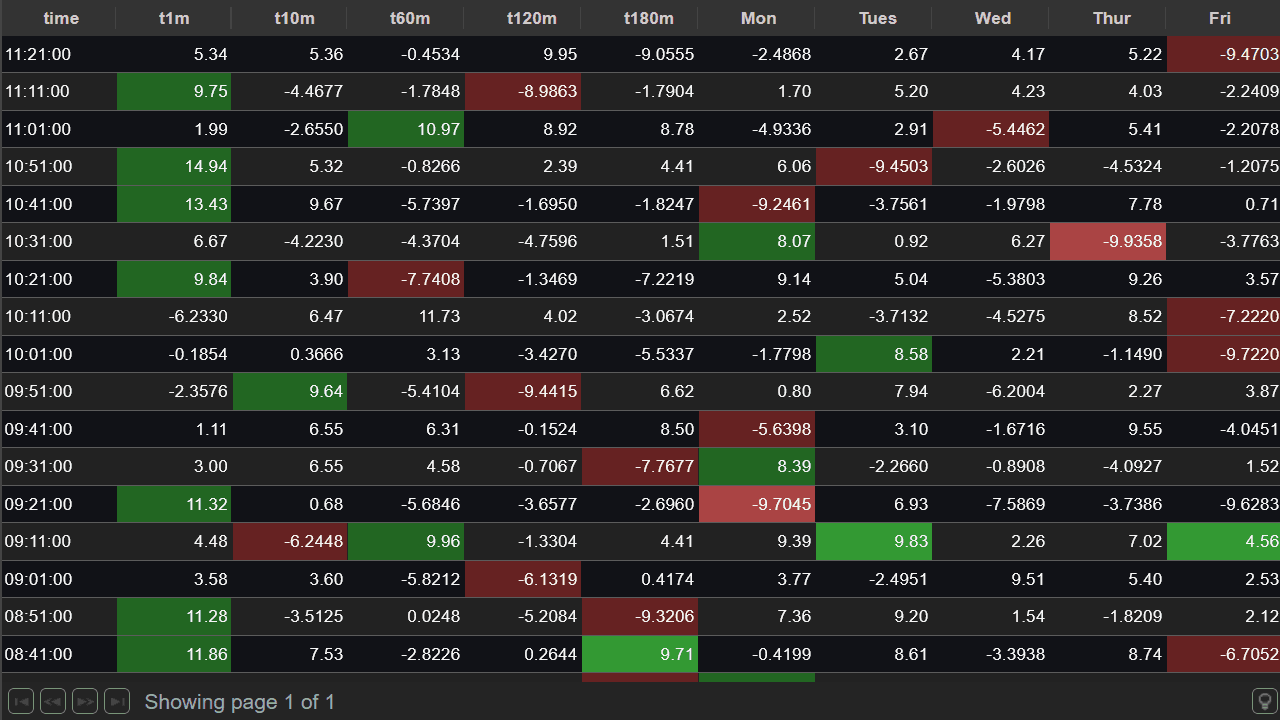
First let's create our table tbl:
Row Formatting = Color Control as Code
Row formatting allows us to styling cells by having an additional column named similarly to the column you want to affect.
For example to style a column called Monday, you could add an additional column called Monday_SD_BG to control the background color.
This allows you to customize the foreground/background and style per row.
| Area | Column Name Postfix | Example Value | Description |
|---|---|---|---|
| Background Color | _SD_BG | #FF0000 | Set the background colour of the original column.
HTML Colors can be specified as names or values. |
| Foreground Color | _SD_FG | #FF0000 | Set the foreground colour of the original column.
HTML Colors can be specified as names or values. |
To achieve our highlighting we want to create hidden columns with the following values:
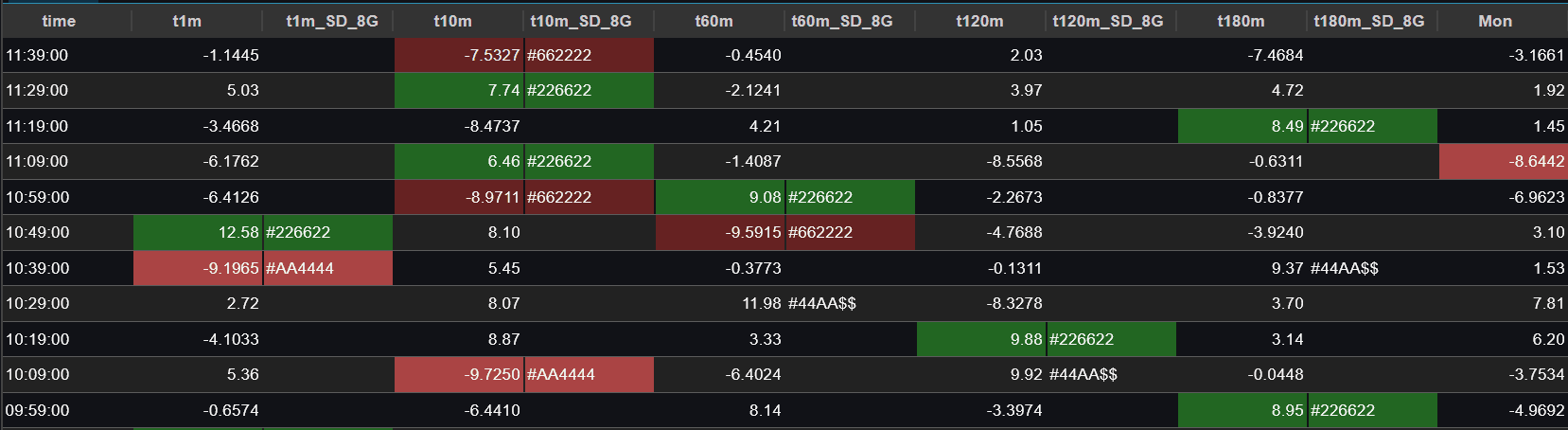
kdb+ Code to highlight any Table
To code this in kdb+ we dynamically look at only the numeric columns, then assign them a value and finally use that value to choose colors.
highlightMinMax does this and adds a new column for each highlighting:
The critical lines in the below code are:
nt:selects only the numeric columns of the table.rangeassigns 1 or -1 to the min and max of a list.tais a table the same shape as the original but with -1/1 assigning min and max per rowtbis a table the same shape as the original but with -1/1 assigning min and max per column- We then add the tables, rename the columns and rejoin back to the original.
Kdb+ strength in dynamic queries is due to everything being a first class item within the language.
Result
your table is highlighted and you have a reusable highlighting function that can be used on any table.
Download Pulse to give it a try for yourself.