

kdb+ Order Book Visualization
Contents
Download Pulse
- Warning
- DepthMap is currently experimental and may consume heavy CPU/RAM resources.
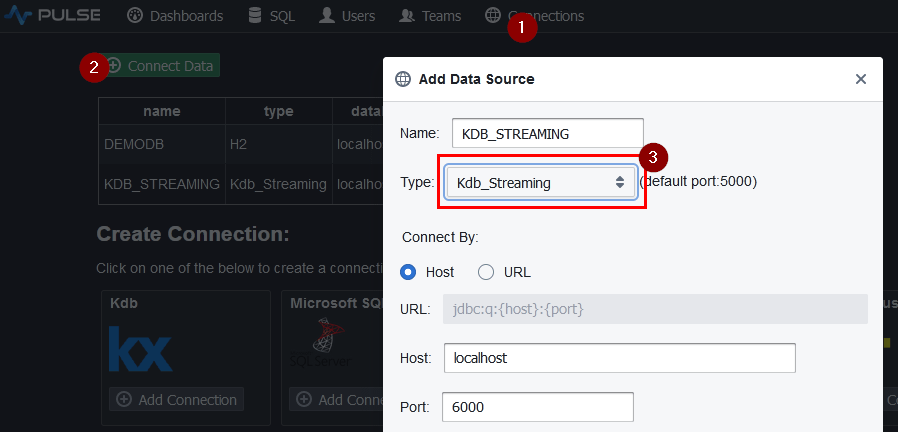
Add kdb+ Server Connection
To add a streaing kdb+ connection:
- Goto Connections page.
- Click
Add Connection. - Make sure to select
Kdb_Streaming. - Fill in your details and click add.
Populating the Tables
Copy and Paste the below code into the SQL Editor and press "Send Query":
Add and Edit Application
- On the applications listing page, click add

- Click on the newly created application to go into it. Either click on edit or toggle design mode once in the application.

Add Real-Time DepthMap
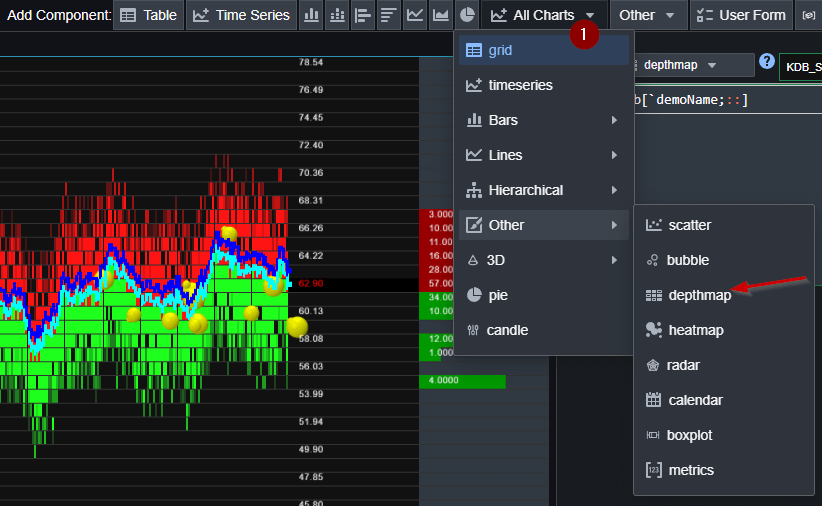
- Click
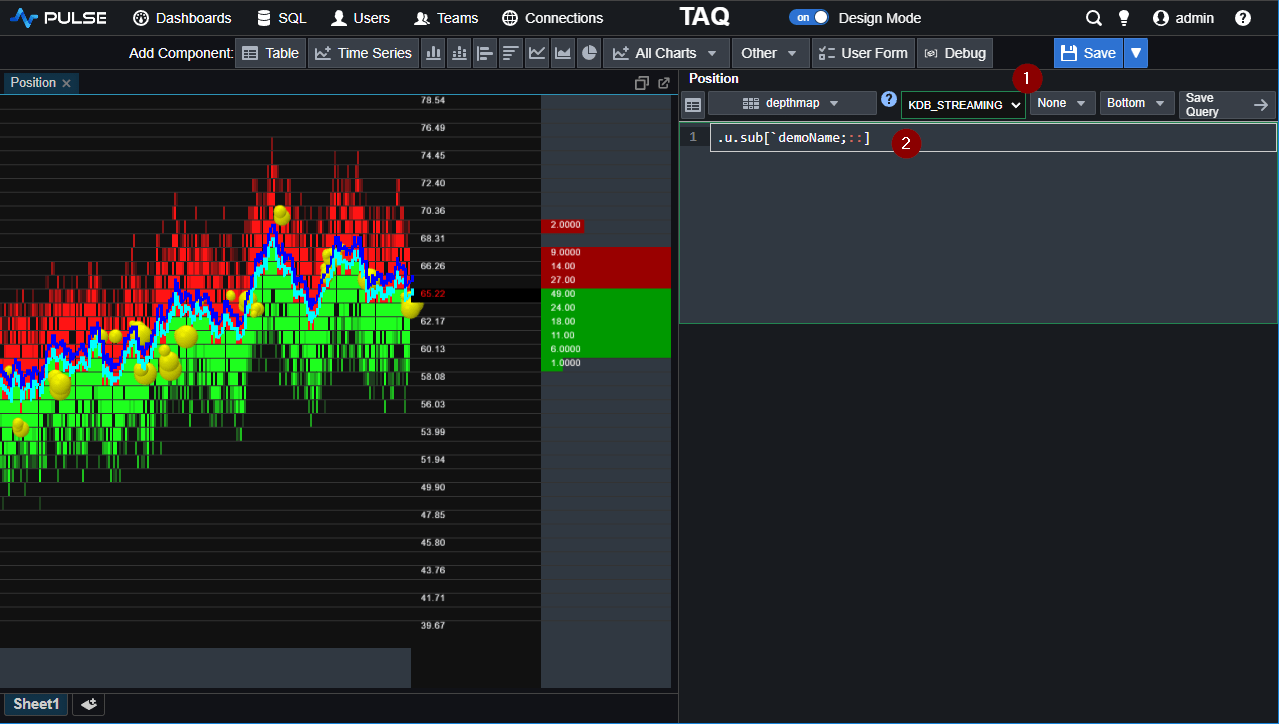
All Chartsand findDepthMap. - Set the query to:
.u.sub[`demoName;::]
You should then get the below result:
Next - Try it yourself
Thanks for watching our demo. Please download Pulse to give it a try for yourself.